- Python 100%
| Filename | Latest commit message | Latest commit date |
|---|---|---|
| .gitignore | ||
| graphs.py | ||
| installer.py | ||
| LICENSE | ||
| markups.py | ||
| price_scraper.py | ||
| README.md | ||
| requirements.txt | ||
| run.py | ||
| settings.py | ||
| user.py | ||

Quick navigation
Overview
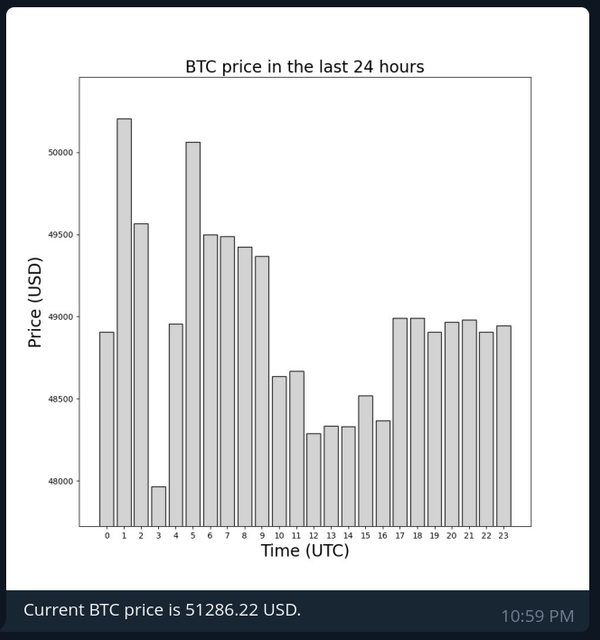
The bot allows you to get a daily message about the current price of BTC. The bot also sends you a graph that visualizes the price changes of the currency over the last 24 hours.
Here is an example of the daily message:
Installation
The installation process was designed to be user as user friendly as possible :)
Preparations
Install the dependencies:
python3 -m pip install -r requirements.txt
Run the installation script:
python3 installer.py
Change the bot's token and the notification time:
python3 setttings.py -t <token>
python3 settings.py -n <time>
The default notification time is 07:00. You can read more about the settings file in the "Changing the settings" section.
Running the bot
Run the price scrapper in the background for generating the graphs:
python3 price_scraper.py &
You can now run the bot by using:
python3 run.py
Changing the settings
Main settings
Changing the bot's token:
python3 settings.py -t <token>
Enabling debug mode:
python3 settings.py -d <True/False>
Changing the notification time:
python3 settings.py -n <time>
The time should be input in the "hours:minutes" format using the 24 hour time system i.e. python3 settings.py -n 07:00.
Graph settings
Changing the border width:
python3 settings.py -b <value>
Changing the bar color:
python3 settings.py -c <color>
The color should be input in the hex color format i.e python3 settings.py -c D3D3D3
Debugging
List all the users in the database:
python3 user.py -a
List all the subscribed users in the database:
python3 user.py -s